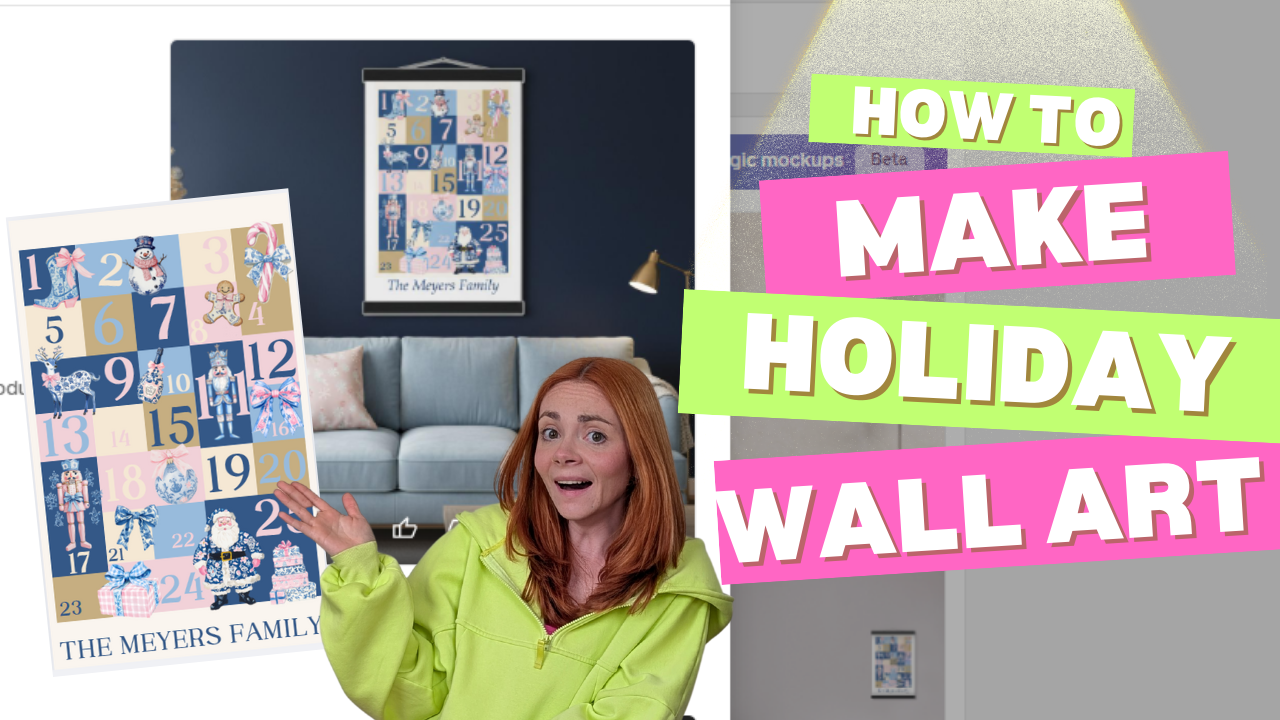
If you’re brand new to print on demand (POD), you’re probably wondering: How to Make Holiday Wall Art with Gelato (Beginner Friendly)
“What’s the easiest product I can design and actually sell?”
For me, that very first product was holiday wall art. Specifically PERSONALIZED Wall Art. Why? Because it’s simple, trendy, seasonal, and perfect for Etsy shoppers who love decorating for the holidays. Plus, you don’t need to be a professional designer to make something people will buy. Sometimes, simple truly sells best!
In this post, I’ll walk you through exactly how I created my first holiday wall art using Gelato as my POD supplier. And yes—if you can drag and drop in Canva, you can absolutely do this too.
Affiliate Disclosure: This blog post may contain affiliate links. This means that if you click on a link and make a purchase, I may earn a small commission at no extra cost to you. I only recommend products and services that I personally use or believe will add value to my readers. Your support in purchasing through these links helps me keep this blog running and providing free content. Thank you for your support!
Step 1: Start with a Free Canva Template
- I opened Canva and typed “poster” in the search bar. Instantly, I had thousands of ready-made templates to choose from.
- For my design, I picked a simple “Advent Calendar” template.
- Here’s what I changed:
- Swapped the font for a bolder, modern one.
- Updated the color palette to blues, pinks and creamy whites.
- Added a variety of Blue and Pint Watercolor Pastel Christmas Elements from a Design Pack I purchased from Creative Fabrica.
You can find similar designs by searching Pastel Christmas. And when you sign up for Creative Fabrica‘s paid yearly subscription, you can download as many designs, fonts and elements! It’s so worth it, as opposed to buying each design pack one by one! You do need to keep your subscription for as long as you use the designs.
👉 Beginner Tip #1: Stick to 2–3 colors max for a clean, professional look. Too many colors can make your design feel busy and less sellable.
👉 Beginner Tip #2: Open a canva paid account, you can try Canva Pro for 30 days free, and after that it’s $15/month. If you DON’T PAY FOR CANVA YOU CAN NOT USE THEIR ELEMENTS, TEXTS, OR ANY GRAPHICS IN YOUR POD DESIGNS THAT YOU THEN SELL FOR A PROFIT
there are a lot of “guru’s” out there that will tell you to create pod designs with canva free, but you can’t, it goes against their terms of service and you could find yourself in legal trouble, and/or your shops shut down. You can learn more about Canva’s terms for Print on Demand here

How to Make Holiday Wall Art with Gelato (Beginner Friendly)
Step 2: Personalize with Gelato’s Personalization Studio
Here’s where things get fun—and where you can stand out from generic holiday wall art.
- Once I had my Canva design saved, I uploaded it into Gelato’s Personalization Studio.
To use Personalization Studio, simply select the product you want to customize, click ADD TO STORE, and on the left side of the design page, CLICK PERSONALIZE, ADD PERSONALIZATION LAYER, ADD TEXT
Then You can add the text, photo, or element that your customer will personalize, the text you write or photos you add will simply be a place holder.


- I added a personalization option where customers could type their family name (like “The Meyers Family”) or a short holiday message.
- Gelato’s tool let me preview exactly how the text would appear on the final wall art.
👉 Beginner Tip: Personalized products almost always sell better, especially for holidays. Buyers love giving (and receiving) custom gifts.
Step 3: Create Mockups
- After finalizing my design, I created my Mockups
- Gelato automatically generated professional mockups—styled living room shots, cozy holiday setups, and even close-up product views.
- You can also generate new AI styled mockups using Magic Mockups or Order a sample and take your own staged photos (When you open a new Gelato account, you’ll get 50% off your first sample order!)
👉 Beginner Tip: Use Gelato’s magic mockups in your Etsy listing. (It’s completely free to use!) They instantly make your product look polished and trustworthy, without needing a photographer.


Step 4: Sync to Etsy and Optimize Your Listing
- Gelato integrates directly with Etsy, so once I hit “publish,” my listing went live in my Etsy shop.
- When a customer places an order, Gelato automatically prints, frames, and ships it—straight to the buyer. No inventory. No packing boxes. No post office trips.
- For my Etsy SEO, I used keywords like:
- Christmas wall art
- Holiday poster
- Personalized Christmas décor
- Family name holiday sign
I use Everbee to help me find the best SEO Keywords for my Titles, Descriptions and Tags! I can also spy on my competition to see what their best sellers are and even what keywords and tags they use!
👉 Beginner Tip: Always include personalization keywords if your product can be customized. Shoppers search for it!
Step 5: Price & Publish with Confidence
- I priced my framed wall art competitively, making sure I left room for profit while staying attractive for holiday shoppers.
- Since POD is risk-free, I didn’t need to worry about buying inventory upfront. Gelato only charges you after a customer orders.
Why I Recommend Gelato for Beginners
After testing multiple POD suppliers, here’s why Gelato is my go-to:
- Global printing partners = faster, cheaper shipping worldwide.
- Huge product range = start with wall art, expand into embroidered sweatshirts, mugs, and more.
- Personalization Studio = sell products customers can customize (a HUGE sales booster).
- Seamless Etsy integration = listings go live with a click, and fulfillment is 100% automated.
Want My Exact Process?
If you’re serious about starting a POD business, I break down everything step-by-step inside my POD Launch Blueprint—my signature course that takes you from idea to first sale without the overwhelm.
And if you’re not ready to dive in yet, grab my POD Starter Kit (free when you subscribe to my email list). It’s packed with beginner tips, checklists, and a walkthrough of the exact tools I use. How to Make Holiday Wall Art with Gelato (Beginner Friendly)
👉 Sign up for Gelato here to start creating your own holiday wall art today.
👉 Subscribe here to grab my free POD Starter Kit.
And just like that—you’ve got your very first holiday wall art listing live on Etsy. Simple, fun, and beginner-friendly. Head to my YouTube to Watch the Tutorial and Product Review!